
Published 2026-11-03 · 8 min
Automate Odoo accounts receivable: 2026 guide
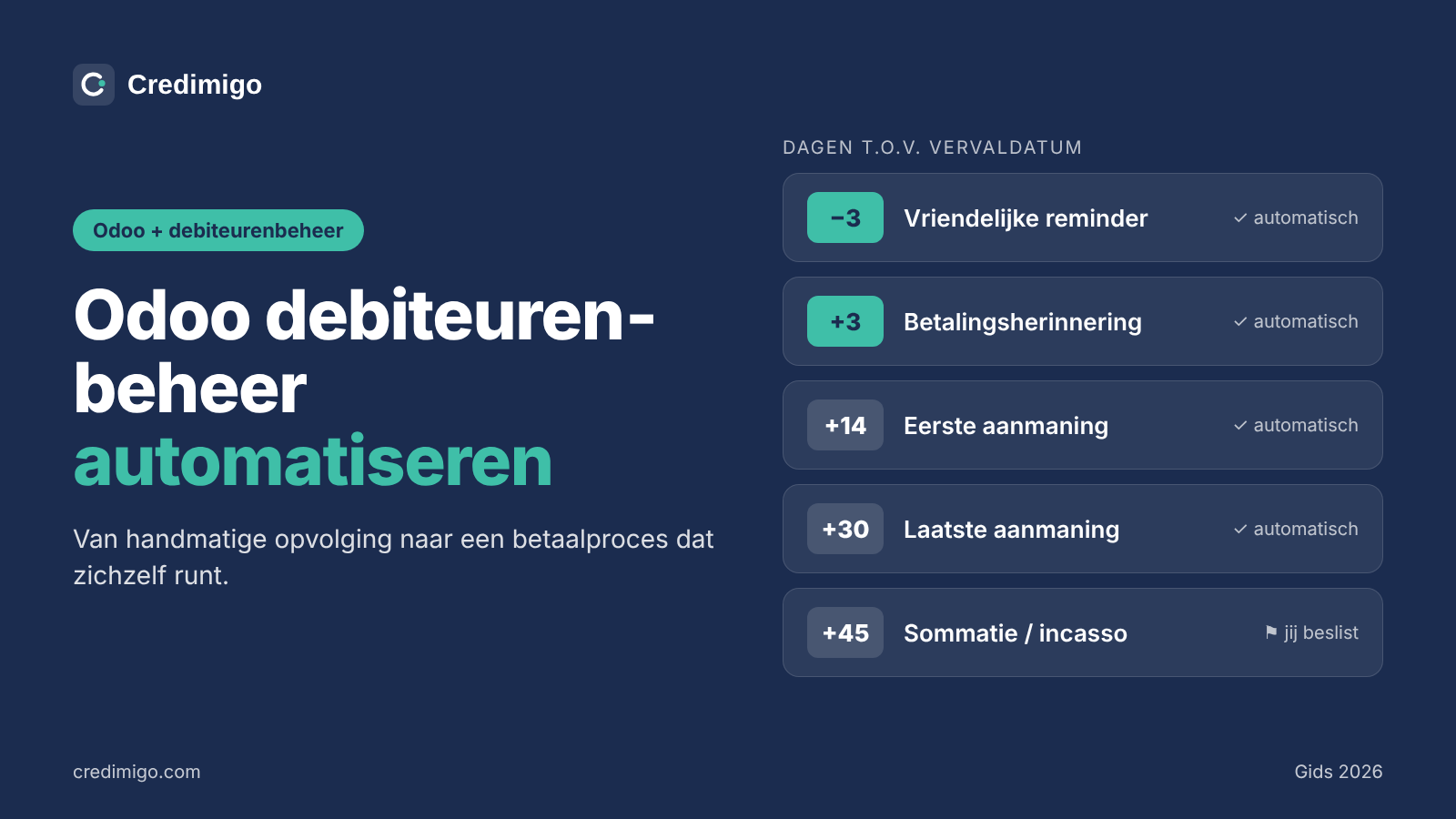
Odoo automates payment reminders with Follow-up Levels: choose days relative to the due date, channels and automatic or manual actions. Reconcile bank payments first and assign an owner to exceptions. This guide uses Odoo 19 documentation. A direct Credimigo–Odoo integration is not yet available; importing individual invoice documents is possible, but is not automatic accounting synchronization.
Why automate follow-up in Odoo?
Weekly lists, copied emails and scattered call notes consume time. A consistent process lets colleagues focus on responses, disputes and payment arrangements instead of repeatedly composing the same reminder.
Automation may reduce delays, but guarantees neither payment nor legal compliance. Start with accurate due dates, reliable balances and an owner for the process. More messages are not necessarily a better process.
How Follow-up Levels work
Odoo documents follow-up levels, actions and reports. A level sets days after the due date; negative days trigger before it. Depending on your setup, actions can include email, SMS, postal letters or an internal activity, with invoices attached.
Automatic sending is a setting, not a promise that every channel exists in every edition. Check your Accounting app, version, subscription, delivery services and channel charges. Community installations may need additional modules. This guide refers to Odoo 19 documentation, not unverified features in newer releases.
Example: five follow-up levels
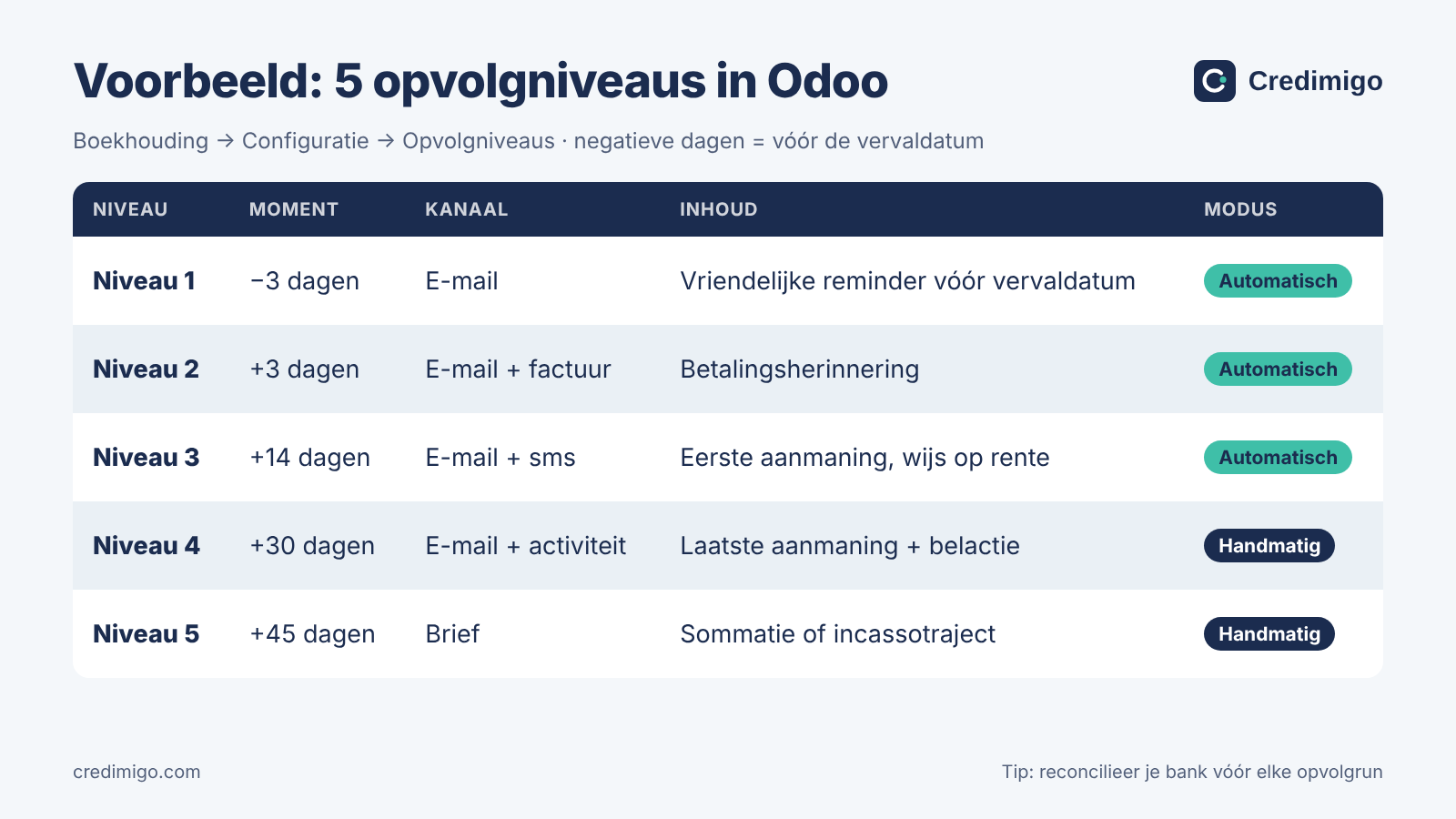
This is an illustrative B2B schedule, not a statutory timeline or a substitute for a consumer notice. Reconcile payments before each run.
| Level | Timing | Action | Mode |
|---|---|---|---|
| 1 | −3 days | Friendly email | Automatic |
| 2 | +3 days | Reminder with invoice | Automatic |
| 3 | +14 days | Email; SMS if configured | Automatic |
| 4 | +30 days | Final demand and call task | Manual review |
| 5 | +45 days | Formal notice or next-step review | Manual |
Keep late-stage decisions manual because a complaint or temporary payment problem needs judgment. A date alone must not initiate legal escalation.
Step 1: set payment terms correctly
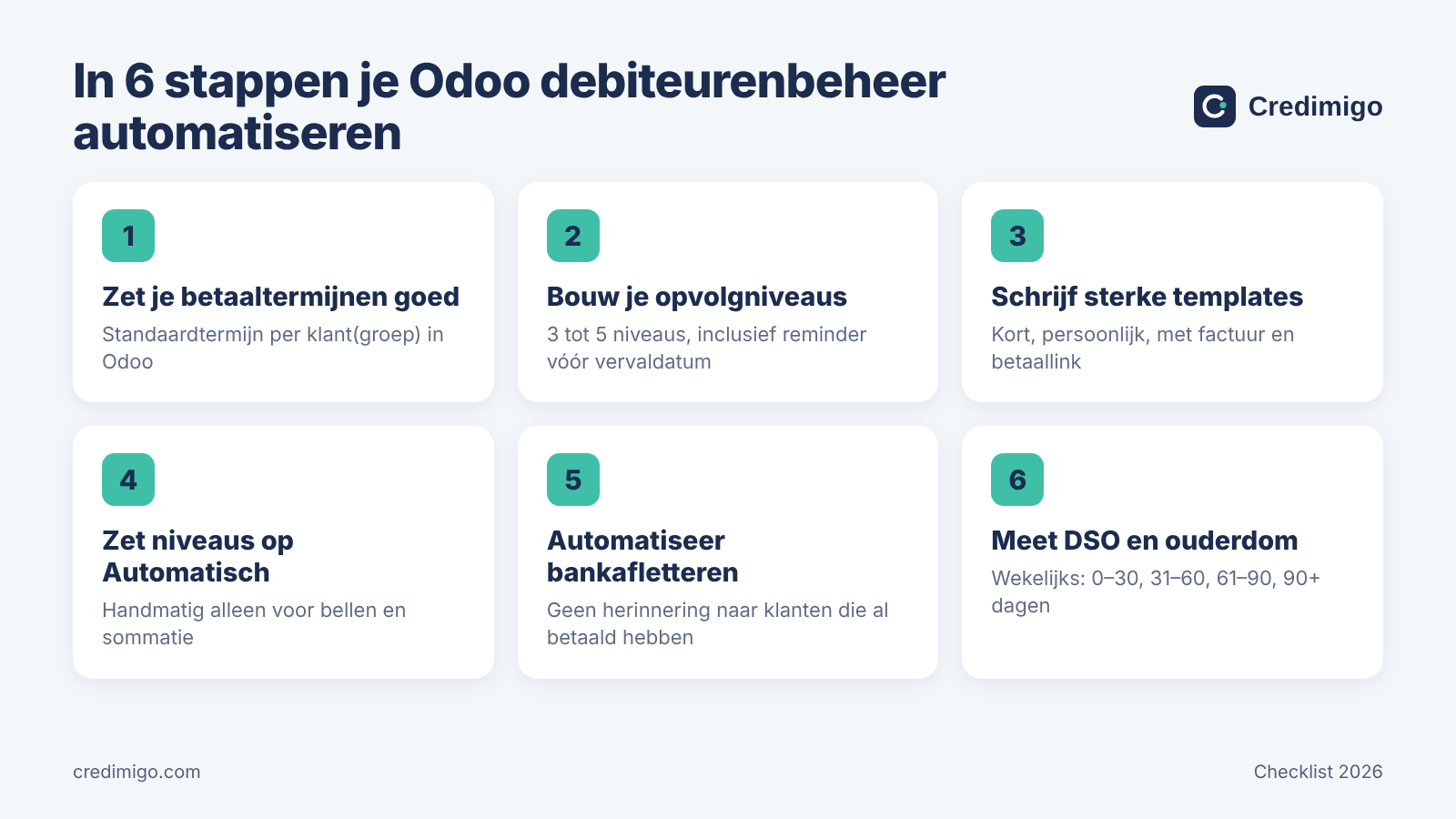
Set terms by customer or agreement and check invoice dates, due dates and installments. A wrong due date puts every later action on the wrong day.
For Dutch business transactions the default is generally 30 days, the general maximum 60 days with exceptions, and large businesses must pay SME suppliers within 30 days. These are Dutch rules, not automatically the rules in your customer’s country.
Step 2: build a small number of levels
Open the follow-up configuration in Accounting; menu labels vary by version and translation. Adjust existing levels or add a limited number, including the intended channels and the person responsible for tasks.
Test with internal data first. Check negative days and sensitive customers, and avoid simultaneous reminders from several levels or different systems.
Step 3: write useful templates
Include the invoice reference, outstanding amount, due date and a clear next step. Attach the invoice where appropriate and provide a working payment option and a way to raise questions.
Make the first reminder friendly. A firmer tone cannot replace a legal basis: do not add unverified interest, fees or threats of proceedings.
Step 4: automate only suitable actions
Choose which early reminders can run automatically and which later steps require a colleague. Assign an owner to every manual task and check contacts, SMS setup and excluded customers.
An active arrangement, dispute or uncertain payment status needs an exception process. Automatic does not mean unmonitored.
Step 5: reconcile bank payments before sending
Odoo recommends reconciliation before follow-up. Match transactions to invoices and review partial payments, overpayments and unexplained differences. Otherwise you risk reminding someone who has already paid.
An expected deposit is not a received payment. If balances are stale or bank processing is delayed, hold sending and verify. This safeguard matters more than another reminder.
Step 6: monitor DSO and aging
Measure DSO consistently and review aging buckets such as 0–30, 31–60, 61–90 and 90+ days. Assign the largest unresolved balances to someone.
DSO = (accounts receivable ÷ revenue in the period) × days in the period. Read reduce DSO for practical improvements.
Five common mistakes
- Sending before bank reconciliation.
- Using incorrect due dates or contacts.
- Applying the same late escalation without review.
- Using generic templates without references or payment options.
- Leaving manual levels without an owner.
Where rule-based follow-up ends
Follow-up Levels are a rule-based process. That does not mean Odoo has no segmentation, customization or third-party modules. Evaluate your actual installation rather than making blanket comparisons.
Disputes, installment arrangements, delivery evidence and legal readiness need more than a day count. Dutch consumer notices and commercial interest have different requirements. Check governing law and rates for the relevant period.
Odoo and Credimigo: available today
The direct Odoo connector is not yet available. Odoo remains your accounting system. You can import individual invoice documents into Credimigo, but that does not synchronize Odoo contacts or payments automatically.
Keep balances current and choose one sending workflow. Credimigo provides self-collection software for case reviews, replies, proposals and controlled follow-up; legal steps remain a deliberate decision. See the Moneybird guide for an integration that is available.
Conclusion
Use accurate terms, a small number of levels and reconciled payments. Automate straightforward reminders and give exceptions an owner. This creates a manageable process without duplicate messages or automatic legal claims.
Frequently asked questions
Can Odoo send automatic reminders?
Yes, with configured Follow-up Levels. Available actions depend on your edition and setup.
Where are Follow-up Levels configured?
In the Accounting follow-up configuration, where you set days, actions, templates and automatic options.
Can I send before the due date?
Yes. Negative days such as −3 mean three days before the due date.
Is this included in every Community installation?
No. Check your installed apps and modules; additional modules may be required.
How do I prevent reminders after payment?
Reconcile payments first, verify outstanding balances and exclude uncertain or disputed cases.
Is there a direct Credimigo–Odoo integration?
Not yet. Individual invoice import is possible but is not automatic Odoo synchronization.
How many reminders are legally required?
There is no universal number. Dutch consumer claims have specific fourteen-day-notice requirements before collection costs.
Bronnen
Analyseer je eerste factuur gratis
Upload een openstaande factuur en zie binnen een minuut je Recovery Score, de juiste taal voor je debiteur en een kant-en-klare laatste aanmaning.
Analyse an invoice free